What's in the Callmine prompt library?
The Callmine prompt library is a curated read-only catalog: win-loss, voice-of-customer, competitive intel, messaging validation. Pick one at /new.
TL;DR
The prompt library is a curated, read-only catalog of analysis
prompts maintained by Callmine. Categories cover win-loss,
voice-of-customer, competitive intelligence, and messaging validation.
Pick one at /new to populate the prompt and executive summary
directive automatically.
How it works
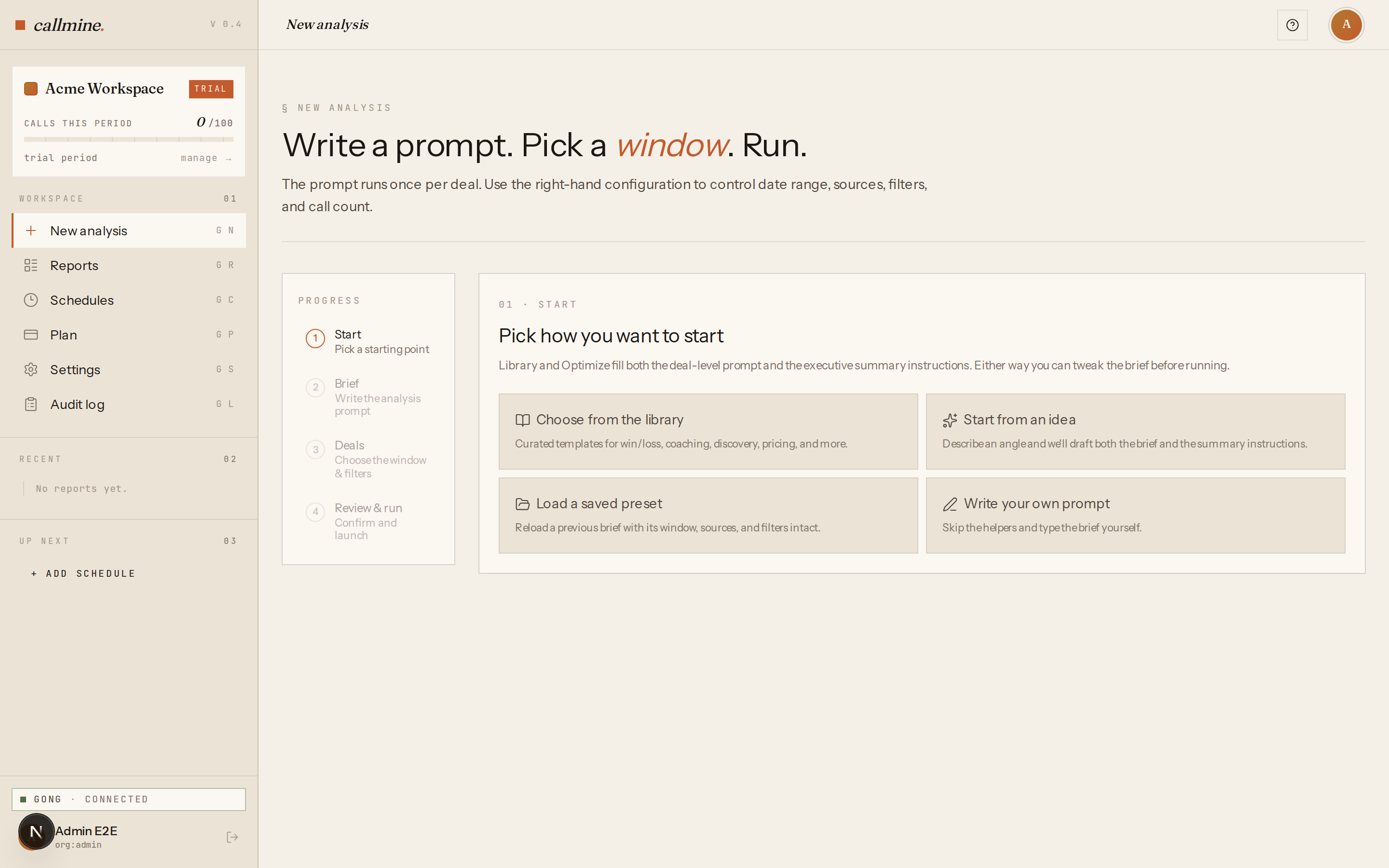
When you open /new, Callmine asks how you want to start: Choose
from the library or Write your own prompt. Picking the library opens
a category-filtered list of prompts. Each entry shows the title, a
one-line description, and the call types it works best on.
Selecting a prompt populates two fields:
- ·Deal-level prompt — the question Callmine asks of every call in scope.
- ·Executive summary directive — an optional override that tunes the roll-up across all analyzed calls. The default works for most cases; the override sharpens it for the prompt's category.
The original library text is preserved on the report so you can see exactly what ran, even if Callmine updates the library entry later.
Categories shipping today
- ·Win-loss analysis — closed-lost themes, objection patterns, competitive losses, churn signals on existing customers.
- ·Voice of customer — feature requests, pain points, jobs-to-be- done framing extracted from sales conversations.
- ·Competitive intelligence — competitor mentions, comparison themes, displaced-vendor analysis.
- ·Messaging validation — which positioning landed, which feature framing produced engagement, which discovery questions unlocked the deal.
Categories propagate from library entry to report — every report generated from a library prompt carries the category badge so the dashboard view can filter on it.
When to use the library vs your own
Use the library when the category fits — the prompts are tuned by real win-loss work and ship with a matched executive summary directive. Switch to Write your own when you have a non-standard question, when you need a specific output schema for downstream tooling, or when you want to iterate on prompt wording.