How do I write a custom analysis prompt?
Analyses·May 31, 2026·2 min·By Callmine Team
Write a custom prompt at /new in plain English. Add an executive summary directive to tune the roll-up. Test on 10 calls first.
TL;DR
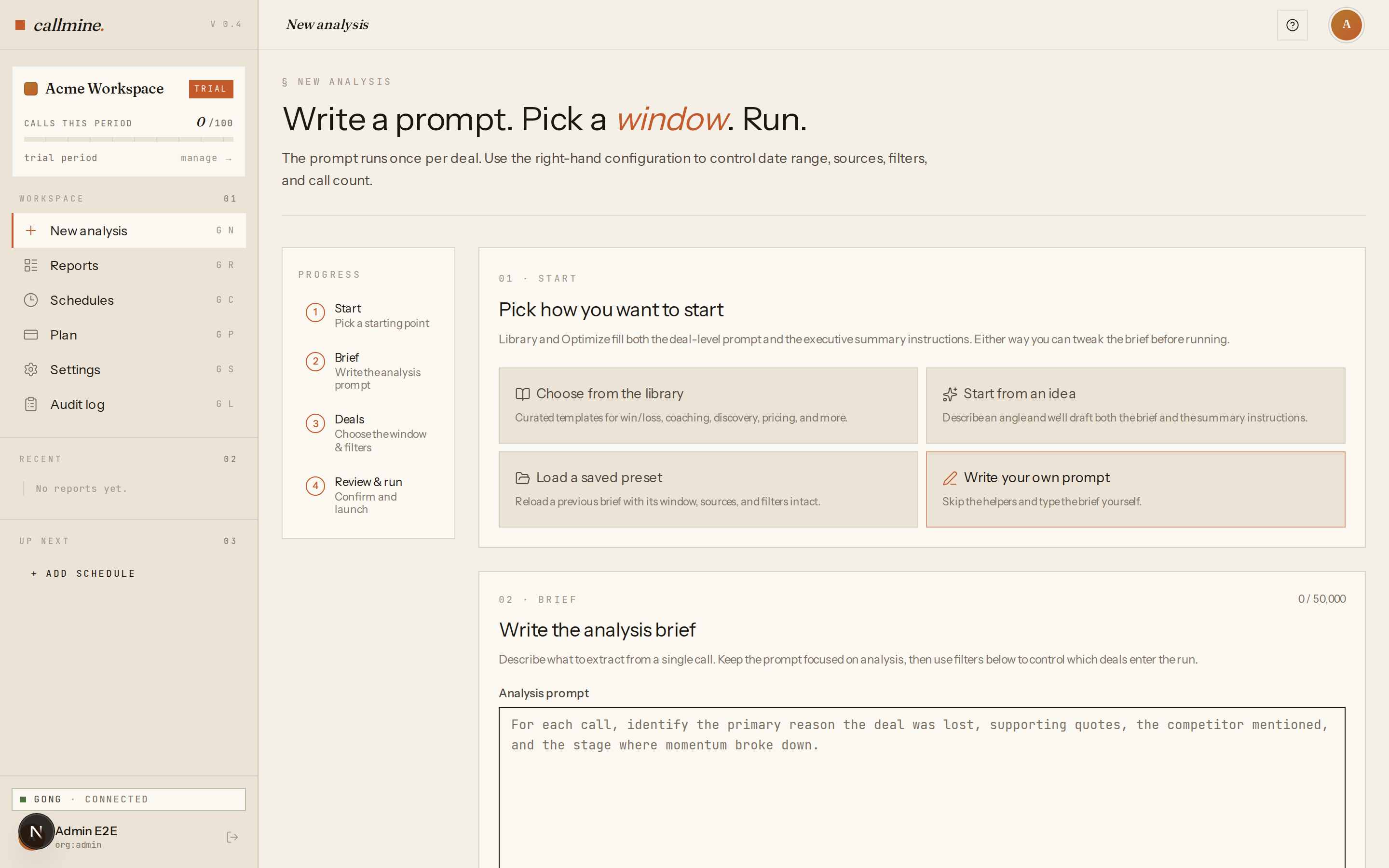
At /new, choose Write your own prompt. Write the question Callmine
should answer for every call in scope, in plain English. Optionally
add an executive summary directive to tune the roll-up. Start with 10
calls to validate before scaling up.
Steps
- 01Open
/newand click Write your own prompt on the start-mode chooser. The deal-level prompt textarea appears. - 02Write the question Callmine should answer for every call. Be specific about the output you want — categories, scores, named themes, or a JSON shape if you'll process the result downstream.
- 03Optionally expand Executive summary settings and write a directive that focuses the cross-call roll-up. Leave blank to use Callmine's default schema-contract prompt.
- 04Pick a model. Per-plan options are
gpt-4o-mini,gpt-4o, andgpt-5.4-nano. Default isgpt-4o-minifor cost; upgrade togpt-4owhen output quality matters more than per-call cost. - 05Set
max_callsto 10 and pick a recent date range. Click Run. Read the report, iterate on the prompt, re-run on the same window. Scale up once the 10-call run produces the output you want.
What the LLM sees per call
For each call in scope, Callmine sends the LLM:
- ·The full transcript text, speaker-attributed.
- ·Call metadata — start time, duration, participants, the rep who ran the call.
- ·HubSpot deal context, if linked — deal stage, amount, owner, company, custom properties Gong has logged.
- ·Your prompt, appended after the context.
The LLM responds once per call. Callmine collects every response, extracts structured output, and feeds the set into the executive summary stage.
Prompt-writing tips
- ·Ask for one thing per call. Multi-axis prompts ("classify by X and Y and Z") work but degrade faster than focused prompts.
- ·Specify the output format. Without it, the LLM picks a format, and it varies call to call. Schema-typed JSON gives the cleanest reports.
- ·Test on 10 calls before scaling. Prompts that produce great output on three hand-picked calls sometimes fail on the long tail.
- ·Iterate, don't rebuild. Re-run with the same date range and a modified prompt — the diff is much easier to spot.