How do I read a Callmine report?
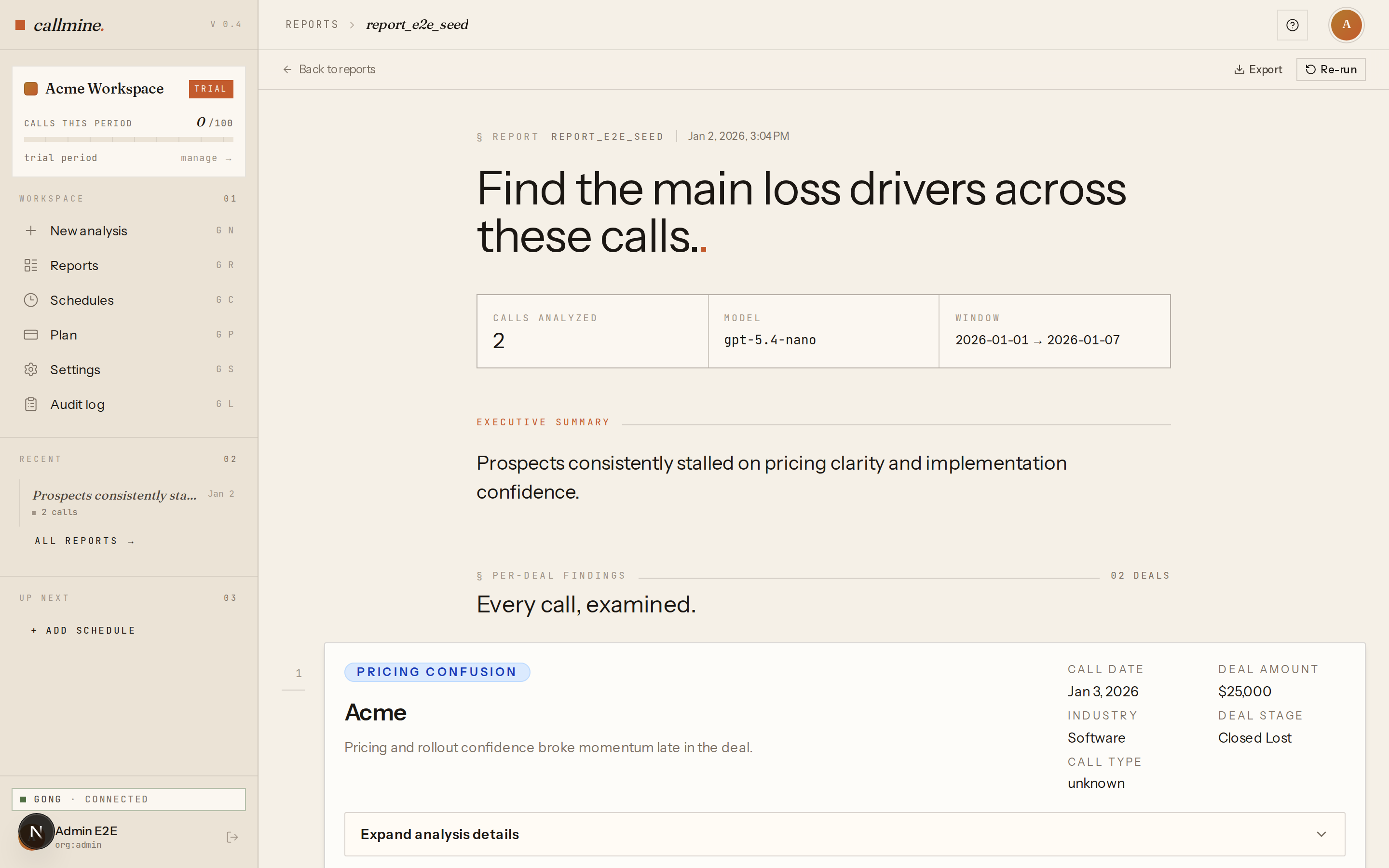
A Callmine report opens with an executive summary, then drill-down into per-call findings, filter context, and a downloadable JSON payload.
TL;DR
A Callmine report opens with an executive summary at the top — a structured roll-up across every analyzed call. Below that: insight cards, weekly time series, top-N outliers, the HubSpot filter summary panel, and the per-call findings list. A JSON payload is downloadable for downstream tooling.
Executive summary
The executive summary is the cross-call view. It contains:
- ·Headline insight — the single most important takeaway across the run.
- ·Insight cards — top themes, recurring objections, named competitors, or whatever your prompt asked the LLM to track.
- ·Weekly time series — call volume and signal trends week-over- week, when the date range spans multiple weeks.
- ·Top-N outliers — up to 20 calls that diverged most from the central pattern, with links to the per-call findings.
The summary is generated by a multi-stage roll-up: every per-call response is fed into a map stage, then a reduce stage produces the final structured output. Diagnostic metadata about which stage generated which field is available on hover.
HubSpot filter summary panel
A small panel near the top of every report lists the exact filter
values that were active at run time — deal stages, sales reps,
industries, the amount range. Useful when you're answering "which
deals went into this analysis?" months later. The panel is read-only;
to change filters, re-run from /new.
Per-call findings
Below the summary, the per-call findings list shows the LLM's response for each individual call. Each row has the call title, date, participants, HubSpot deal context (if any), and the LLM output. Click a row to expand the full response. Search and sort work across all per-call rows.
What's missing on purpose
- ·Audio playback. Callmine never fetches Gong's audio or video. Click through to Gong from a call row to listen.
- ·Live editing. A report is a snapshot of an analysis run. To change anything (prompt, filters, model), re-run. Reports themselves are immutable once generated.